DOCUMENT CENTER
Documents & Instructions
All required document templates and step-by-step instructions — in one place.
Document templates
Download the relevant template, fill it in, sign by hand and send a scan to donald991x@tutamail.com
01
Driving License Application Form
Enrollment form with personal details and license category selection. Fill in block capitals.
02
Power of Attorney
Authorization for PrawkoBezStresu.com to act on your behalf in the document acquisition process.
Document and photo preparation guide
Before sending, ensure your photos meet the requirements below. Incorrect photos will delay processing.
01
ID document photo
- 1Place your ID card or passport on a plain white surface
- 2Photograph from directly above — the entire document must be in frame
- 3Good, even lighting — no reflections or shadows
- 4All data must be clearly legible — nothing may be covered
- 5Format: JPG or PNG, max 10 MB
02
Face photo
- 1White or light uniform background (passport-style)
- 2Face directly toward the camera, eyes open, neutral expression
- 3Even lighting — no shadows on the face or background
- 4No sunglasses, no head coverings (except religious ones)
- 5Face should fill approx. 70–80% of the frame, min. 300×300 px
03
Signature photo
- 1Plain white A4 or A5 sheet — clean, no lines or print
- 2Black or dark blue pen — not pencil
- 3Signature identical to the one on your ID document
- 4Photo from above, full signature in frame, no shadows
- 5Format: JPG or PNG
Payment instructions — Bitcoin
Orders are processed only after Bitcoin payment is confirmed. Available payment methods are listed below.
Bitcoin (BTC) wallet address
bc1qd87m02qt075e3g3acj8fekser4djfxt4hfq06d
Network: Bitcoin mainnet (BTC) — send only on this network. Other tokens will not be credited.
Metoda A
Bitcoin ATM — cash payment
- 1Find a Bitcoin ATM near you at bitomat.com or flyingatom.com (select "Buy Bitcoin")
- 2At the ATM select "Buy Bitcoin" and if required enter your phone number (SMS verification)
- 3Enter the amount to pay — the ATM will convert it to BTC automatically
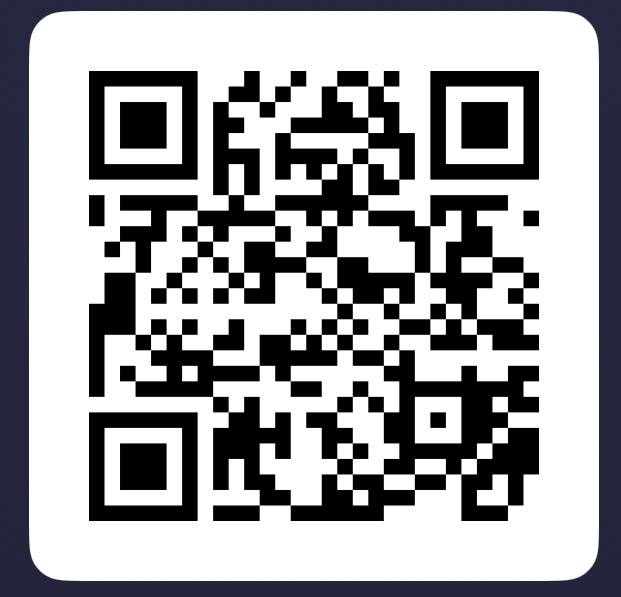
- 4Scan the QR code above or type the wallet address manually
- 5Confirm the transaction — the ATM will print a receipt with the TXID
- 6Send the TXID (transaction hash) to donald991x@tutamail.com with your order number
Metoda B
Cryptocurrency exchange (Binance / Coinbase / Kraken)
- 1Create an account on Binance.com, Coinbase.com or Kraken.com (verification approx. 15 min)
- 2Buy Bitcoin (BTC) with PLN or EUR by card or bank transfer
- 3In the Send/Withdraw section paste the wallet address above and enter the amount
- 4Confirm the transaction — copy the TXID from transaction history
- 5Send the TXID to donald991x@tutamail.com with your order number
Need help with payment? Write to donald991x@tutamail.com — we will respond and guide you through the process.
Documents ready? Apply online.
Apply now →